이직을 위한 구직 삽질로 인한 번뜩이던 아이디어 .
바로 API를 써 알고리즘을 짜면
이곳 저곳 퍼져있는 기업정보를 볼 수 있지 않을까??? 였다.
이로써 나같은 구직쟁이에 도움이 될까 해서 삽질을 해보았다.

성공만 한다면 씹게이같이 크롬창에 여러개 뛰워서 평점보고 이리저리 움질일 필요없이
플러그인 마냥 켜두고 기업명만 검색하면 AI가 요약해주는 그림을 그렷다.
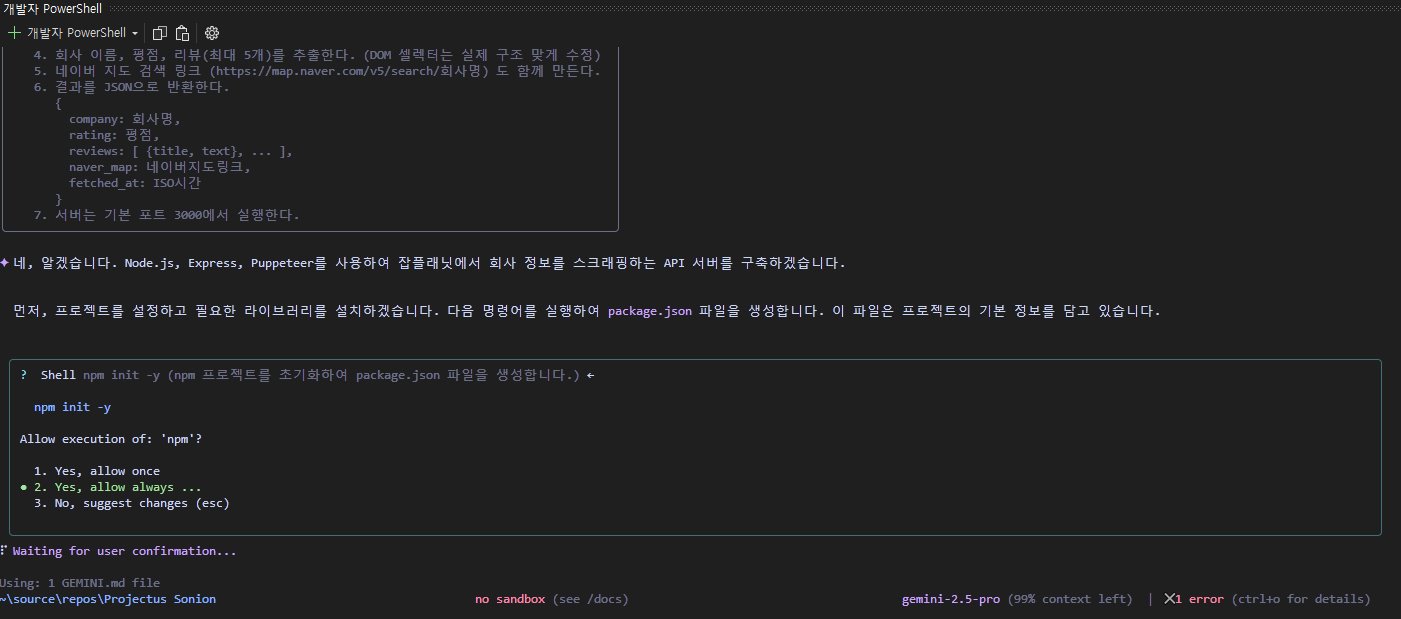
잼민이를 사용해보자한다.
| Task: Extend the uploaded image seamlessly in multiple modes. Modes included: 1) Horizontal extension (left + right). 2) Vertical extension (top + bottom). 3) Full extension (all directions). General rules: - Always keep the original subject perfectly centered. - When extending, expand the canvas by at least 50% in the selected directions. - Reconstruct cut edges naturally and blend them seamlessly. - Background, lighting, color palette, and style must remain consistent with the original. - The result should look like a natural, complete artwork — never like a stretched collage. Detailed instructions: [Horizontal Extension Mode] - Extend canvas to the left and right. - Rebuild missing edges and continue the background fluidly. - Output must resemble a widescreen artwork. [Vertical Extension Mode] - Extend canvas upward and downward. - Rebuild missing top and bottom parts logically. - Output must resemble a tall portrait-style artwork. [Full Extension Mode] - Extend canvas in all directions equally. - Original subject stays in the center. - Output must resemble a zoomed-out, complete artwork with natural surroundings. Final requirement: - Output should remain in the same resolution quality as the input. - No distortion, no duplication, no artificial tiling. - Return only the completed extended image(s). |
[대충 LLM이 알아 들을 수 있도록 워크 플로우를 GPT로 변환 한것이다.]
| Task: Extend the uploaded image in all directions (top, bottom, left, right) while keeping it natural and seamless. - Keep the original subject in the center untouched. - Match background, lighting, and style perfectly. - If edges are cut, reconstruct them smoothly. - Expand canvas equally in all directions, at least 50% more. - Output must look like one complete illustration, not an extended collage. |
[추가 구동 UX 정보]

초기 뼈대
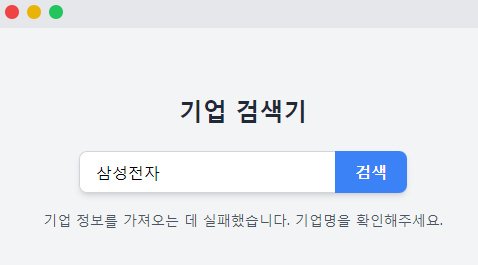
검색창을 구현하고.

오픈 AI 연동을 구상해본다.

여기서!! 해당 모델을 쓸려면 API KEY를 받아야 하는대.
발급 과정이 귀찮고 몇몇 AI 모델은 무료가 아니라 돈을 내야한다.
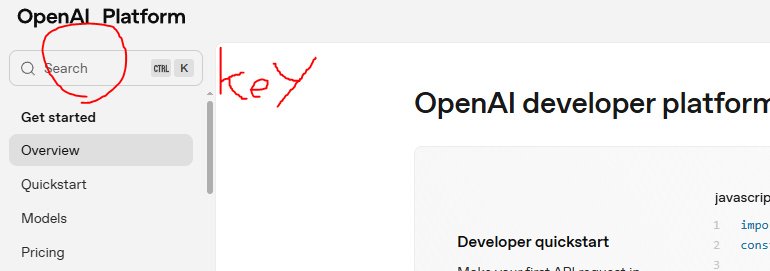
위 사이트에 접속하면 옆에 창이 나올탠대.

회원가입 + 로그인(구글가능 ㅇㅇ)후 키를 만들어서 발급한뒤
텍스트 파일같은대 저장해두면된다.
절대 절대 절대 외부 유출 ㄴㄴ 스샷 파일 등으로 유출되면
내 이름의 버카로 남들이 무임승차하는 격이니 이는 본인이 알아서 수정하도록
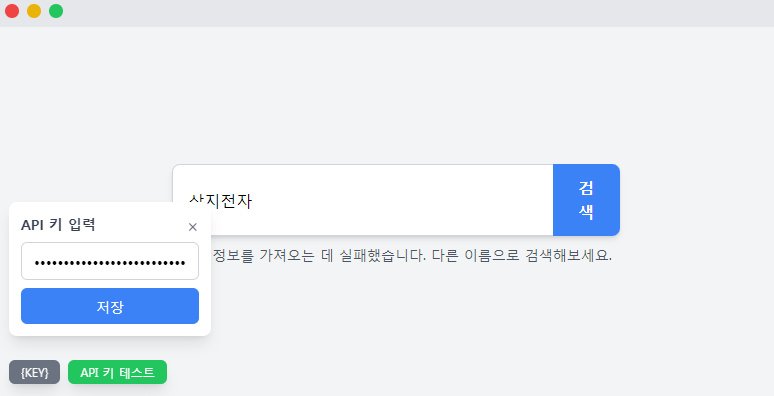
원래 라면 구동시 옛날 쯔끄루 게임 치트쓰듯 텍스트 파일을 열어
거기에 API키를 내가 수정해 넣어야했는대.
파일 자동수정 및 API 접속 여부가 가능한지 확인 가능한 옵션을 넣어보았다.
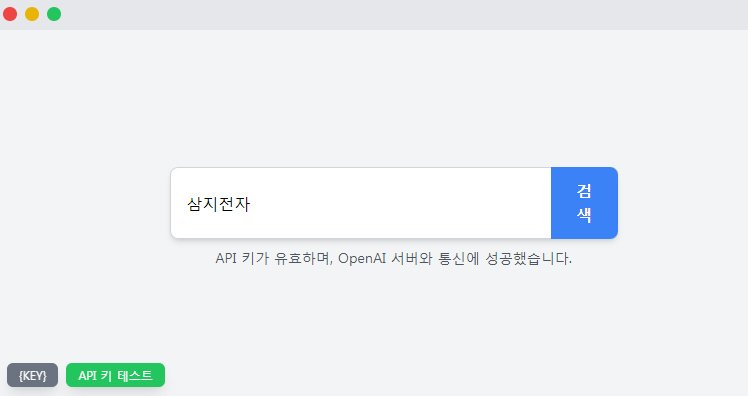
그리하여 우여곡절 통해 서버연동 구현에 성공하였고.

사이트 크롤링 부분을 손봐서 ...

드디어 반응이 오는 버튼쨩

근대 API KEY로 서버 통신엔 성공했으나 알고리즘 문재인지
크롤링 및 요약해 [별점] + [ 리뷰 장 . 단점]을 요약해
엘레강스하게 요약본이 팝업 되어야 하는대 뻗어버렷다;

잼민이 니..니가잘못햇잖아 시...시발려나! (API 키라 블러처리)

이렇듯 로그에도 연결은 되는대 알고리즘이 뻗어서 멈춰버렷다;;;

예상컨대 요즘 사이트가
AI 크롤링을 막는 명령문을 넣엇다는 소리도 있고
하도 AI가 마구잡이로 사이트를 크롤링하니까
구글쪽에서 막았단말이 있기도 하던대
아마 그런 기술적인 문재가 생긴거 같다

여기서 겸사 ㅈㄹ로
터미널말고 로그 터미널에 붙여야할 파일위치가 담긴 명령문을
잼민이에 맥여서 하던 작업에도 스톱이 걸려버렷다
(아무생각없이 액싵했다 프로젝트 다날라감 ㅎ)

잼민이 쌀먹으로 스타트업 열뻔한 그의 삽질은
장정 8시간의 뻘짓으로 남게되엇다 ㅠ
나같이 크롤링? 목적으로 알고리즘 짤 사람들은
나의 삽질을 보고 다시한번 생각해보는게 어떨까 한다.
'PC 및 IT관련.' 카테고리의 다른 글
| 개인적인 가장 효율적인 PC 그래픽 카드 세팅 추천 ! (1) | 2025.11.27 |
|---|---|
| 화재의 나노 바나나 신형 버전 사용해보기. (1) | 2025.11.27 |
| 짤쟁이는 주목!! 카카오톡 업뎃 사태 대처법! (Feat. 텔레그렘) (0) | 2025.09.30 |
| AI로 사진을 피규어로 만들어보자? (0) | 2025.09.26 |
| 멍청한 잼민이(Gemini)가 자기가 패키징한 "source"를 못찾는다? (0) | 2025.09.26 |