
대충 이리 개떡같이 갈궈봣다.
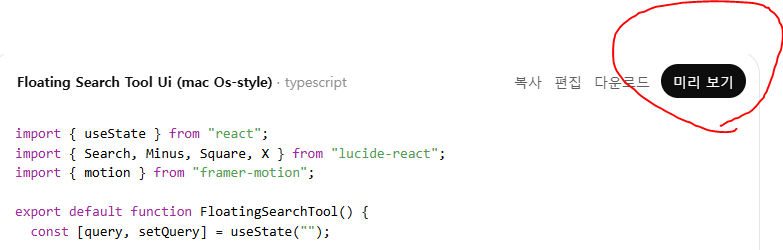
슥슥 대충 코딩 하더니 미리보기가 뜨는대
우옷??

짜잔~
씁.. 그냥 비쥬얼 스튜디오로 복사 붙여넣기만 하는게
기존 재미나이로 CMD 터미널로 하는 것 보다 좋은거 아님??(진짜모름)

나갈땐 그냥 x 누르면 꺼지니
미리보기 창이 안내려가요 ㅠㅠ 할 필요는 없다.
import { useState } from "react";
import { Search, Minus, Square, X } from "lucide-react";
import { motion } from "framer-motion";

export default function FloatingSearchTool() {
  const [query, setQuery] = useState("");

  return (
    <motion.div
      drag
      dragMomentum={false}
      initial={{ opacity: 0, scale: 0.95 }}
      animate={{ opacity: 1, scale: 1 }}
      className="fixed top-1/4 left-1/2 -translate-x-1/2 z-50"
    >
      <div className="w-[420px] rounded-2xl shadow-2xl bg-white/80 backdrop-blur-xl border border-gray-200">
        {/* Title bar */}
        <div className="flex items-center gap-2 px-4 py-2">
          <div className="flex gap-2">
            <span className="w-3 h-3 rounded-full bg-red-500" />
            <span className="w-3 h-3 rounded-full bg-yellow-400" />
            <span className="w-3 h-3 rounded-full bg-green-500" />
          </div>
        </div>

        {/* Search bar */}
        <div className="px-4 pb-4">
          <div className="flex items-center gap-3 px-4 py-3 rounded-full bg-gray-100 focus-within:ring-2 focus-within:ring-blue-400">
            <Search className="w-5 h-5 text-gray-500" />
            <input
              value={query}
              onChange={(e) => setQuery(e.target.value)}
              placeholder="Search anything…"
              className="w-full bg-transparent outline-none text-gray-800 placeholder-gray-400"
            />
          </div>
        </div>
      </div>
    </motion.div>
  );
}
디자인 한 코드 백업겸 올려봄
'PC 및 IT관련.' 카테고리의 다른 글
| 히토미 번호 런쳐 2026 새해 기념 리마스터 (feat. 커서 Ai) (0) | 2026.01.10 |
|---|---|
| 기업 검색기 UI 디자인 백업본 (0) | 2026.01.10 |
| 우리 캔바가 미쳣어요 ㅠㅠ 어도비, 포토샵 무료 쌀먹 프로그렘 "affinity" (0) | 2026.01.07 |
| 2026 새해 기념 재미로 참조하면 좋을 모든 게임 플랫폼 별 성능표 (0) | 2026.01.07 |
| 현재 소비자용 PC 최대 확장 가능한 DDR5 256GB 쿼트킷 매물 (0) | 2026.01.07 |